01
Build your routine.
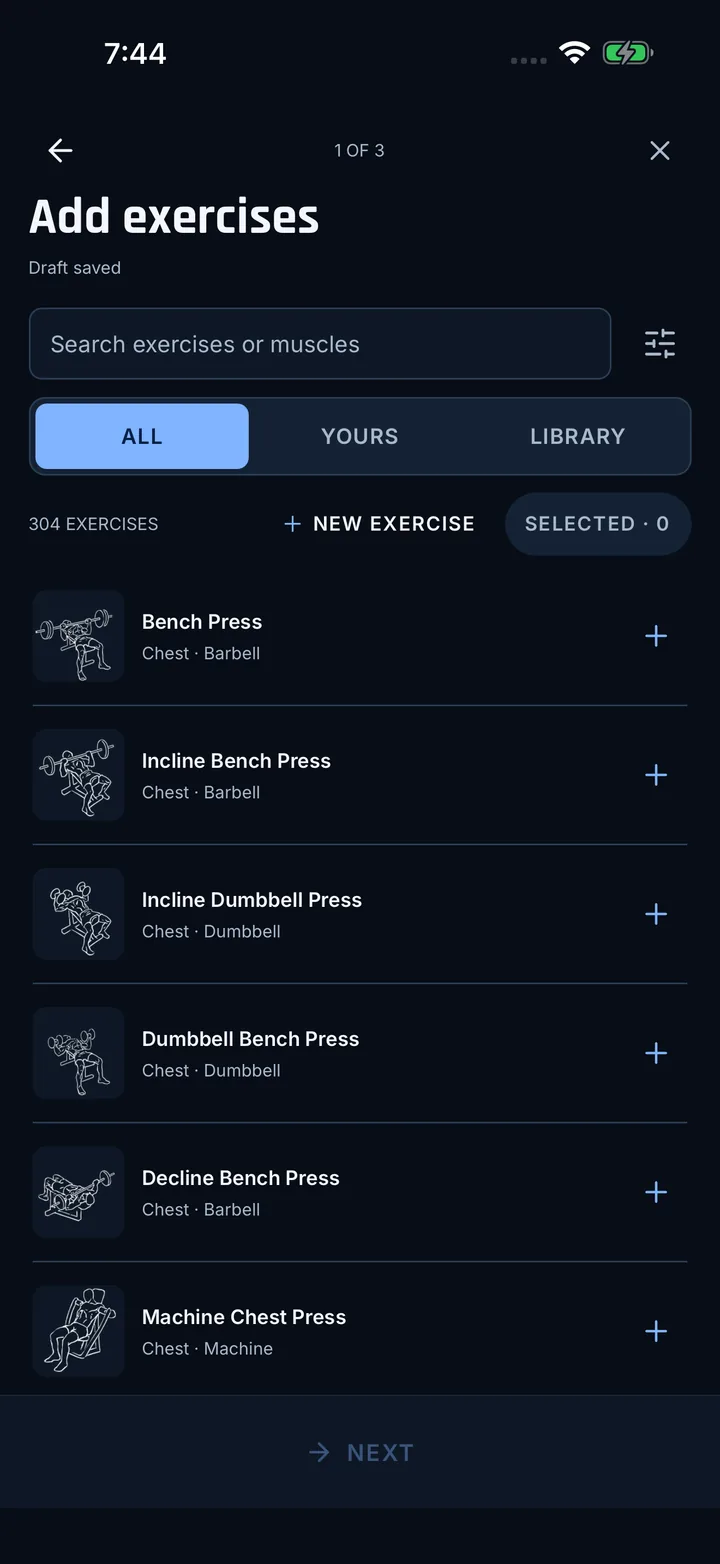
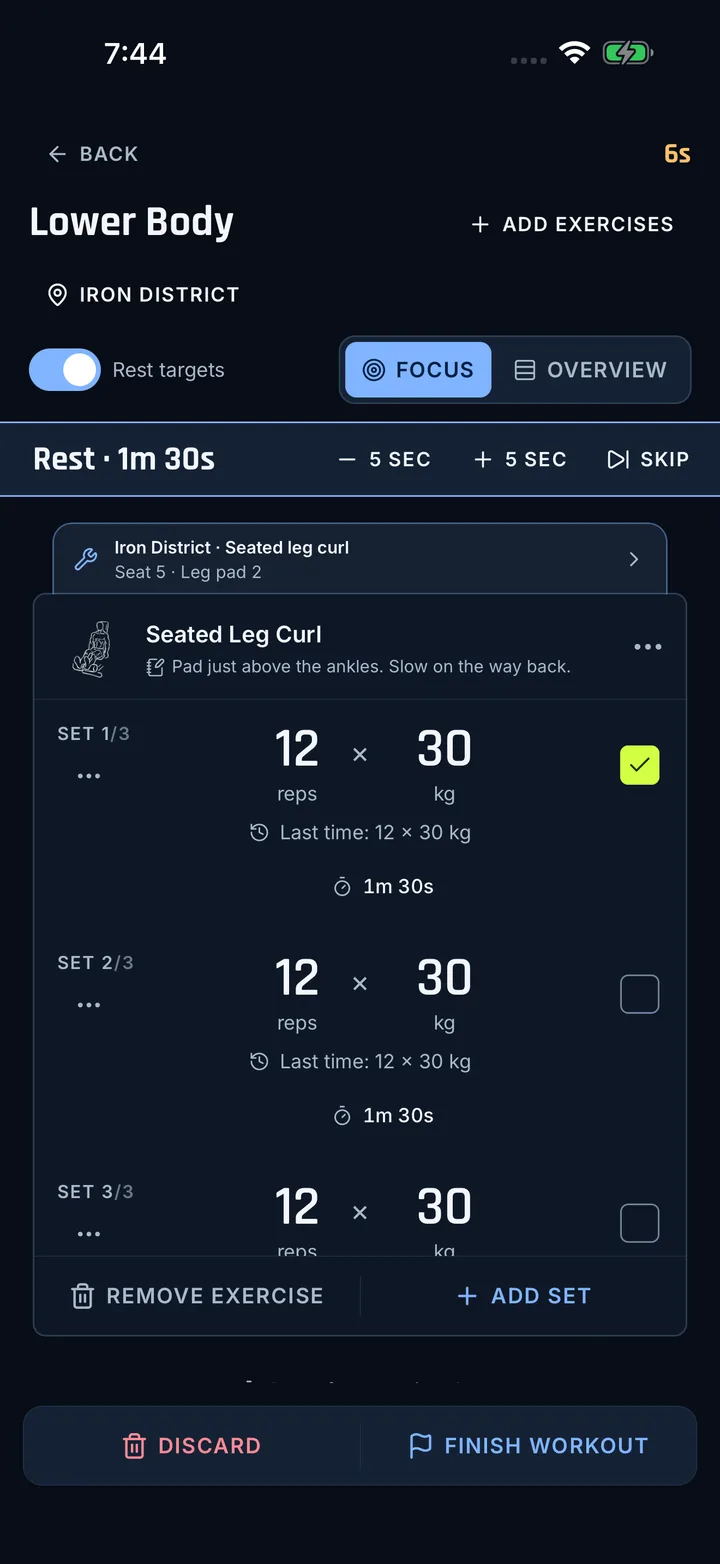
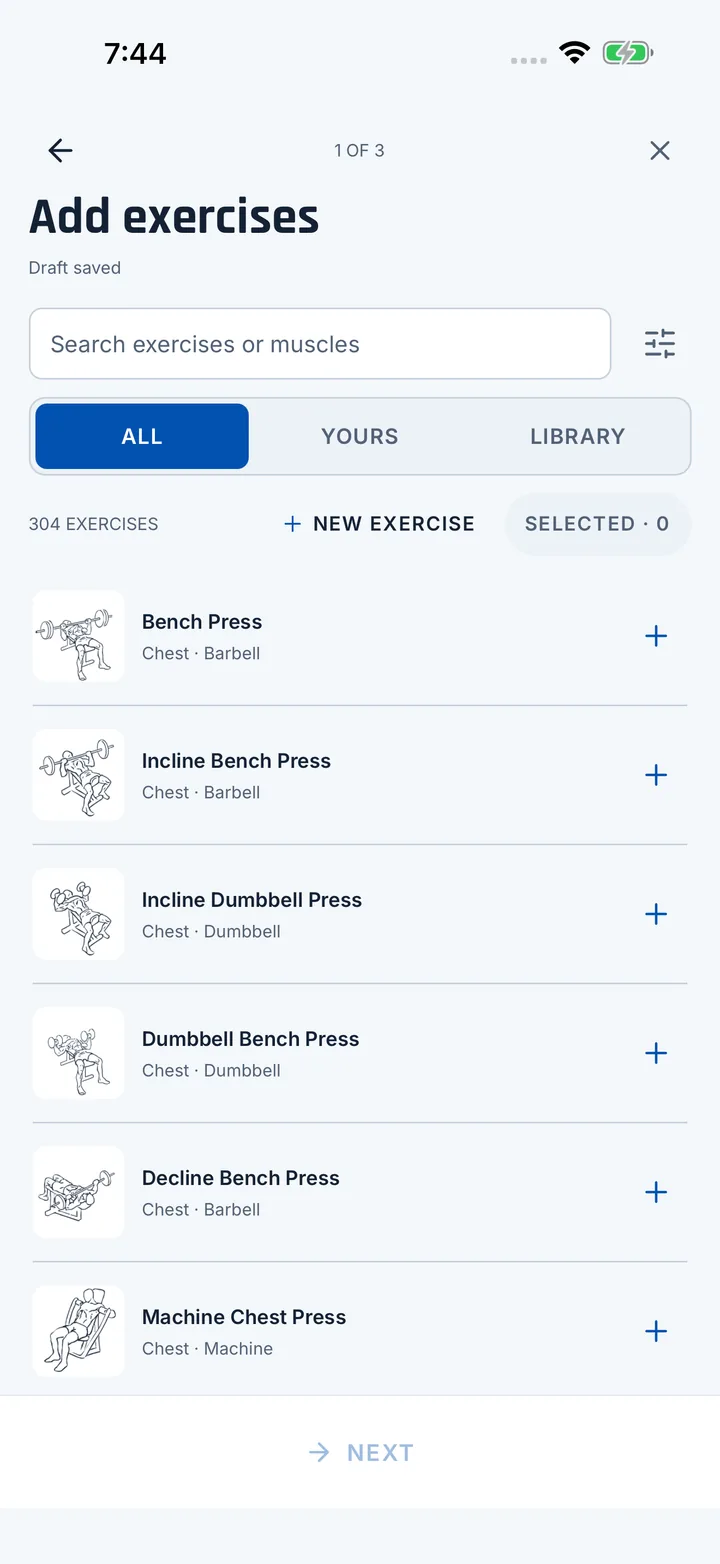
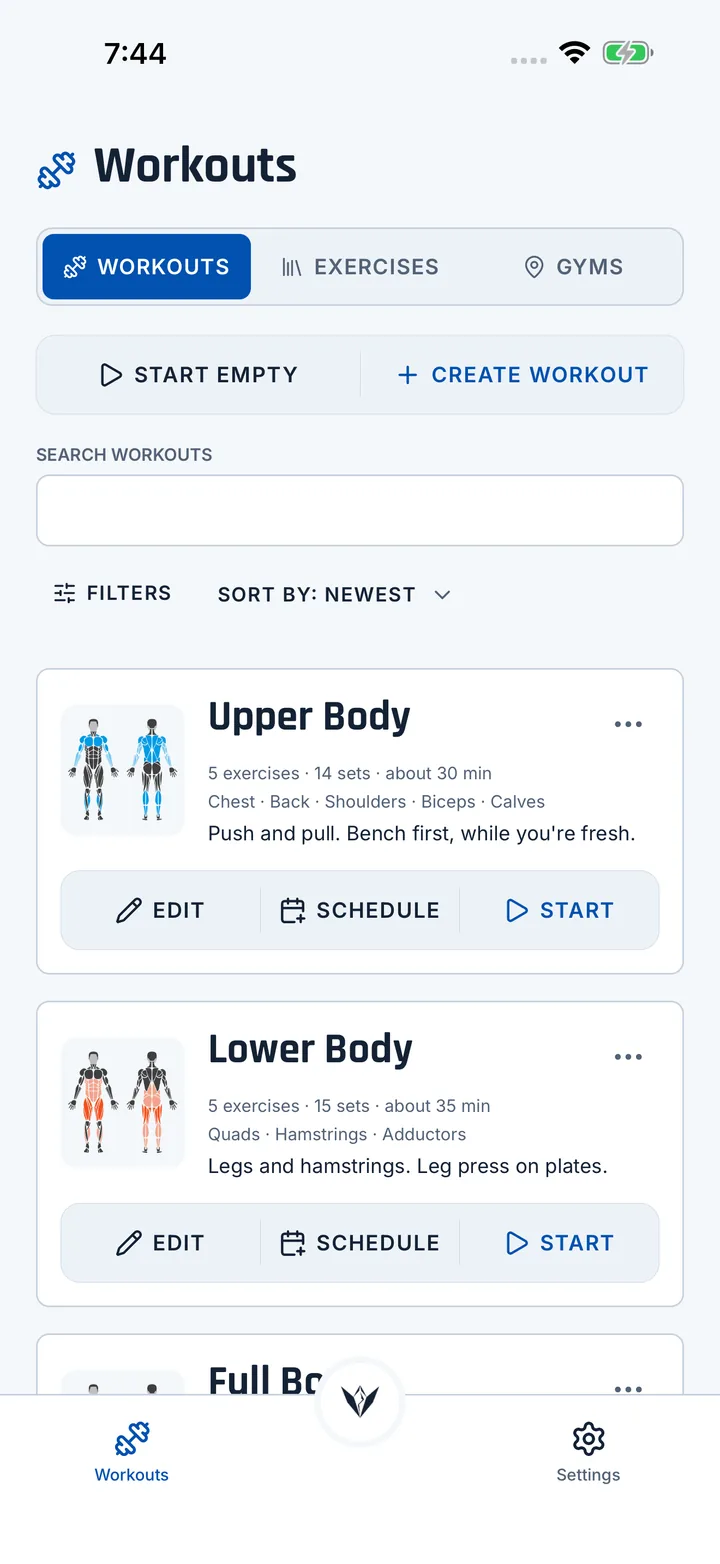
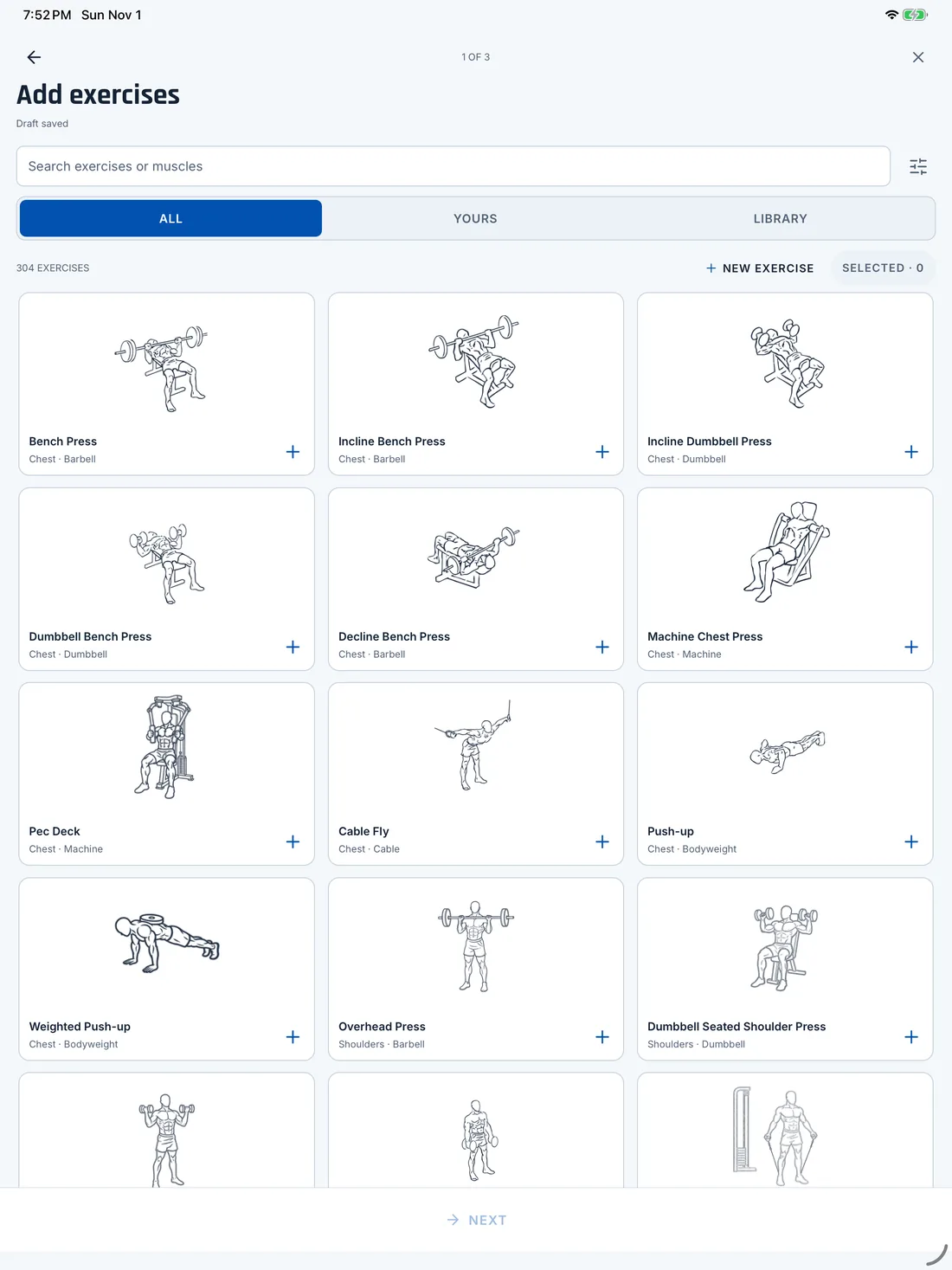
Start with 300+ built-in exercises or add your own. Group them into supersets and set your reps, weight and rest.
Coming soon to iPhone and iPad
Plan your workouts, log every set and look back on what you've done. It all stays on your phone.
Track. Optimize. Peak.
Vertexx covers the whole workout, from building it to ticking off the last set.
Start with 300+ built-in exercises or add your own. Group them into supersets and set your reps, weight and rest.
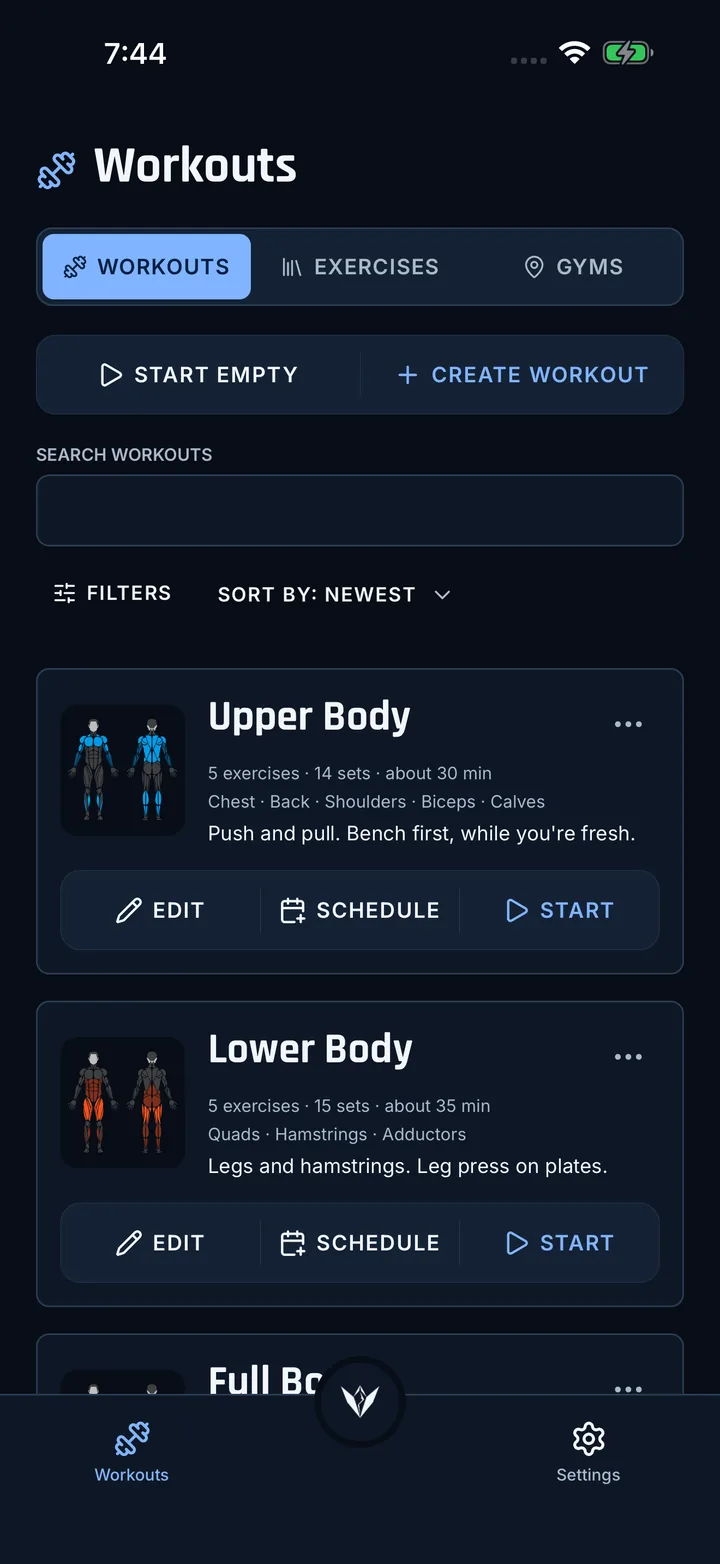
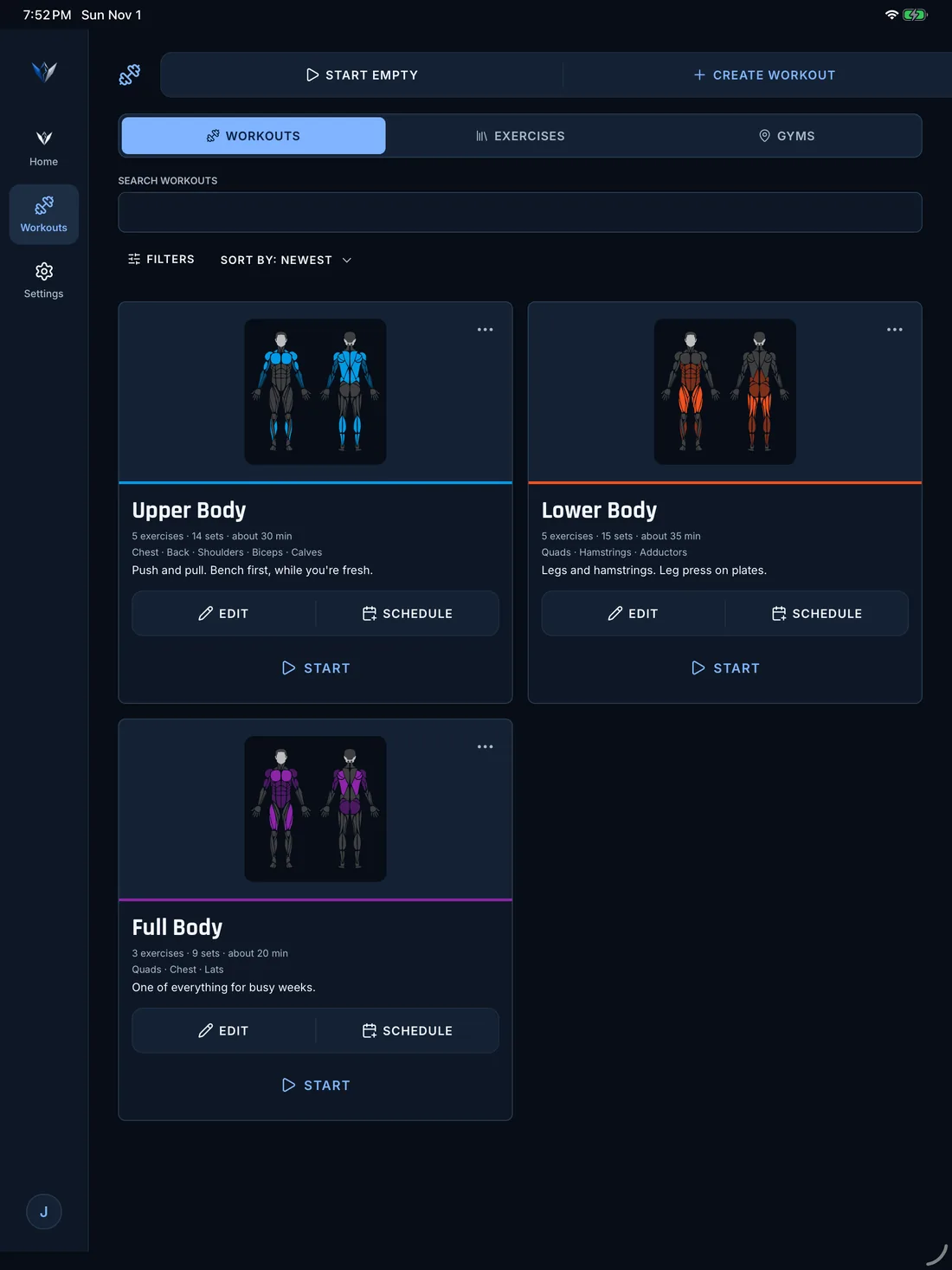
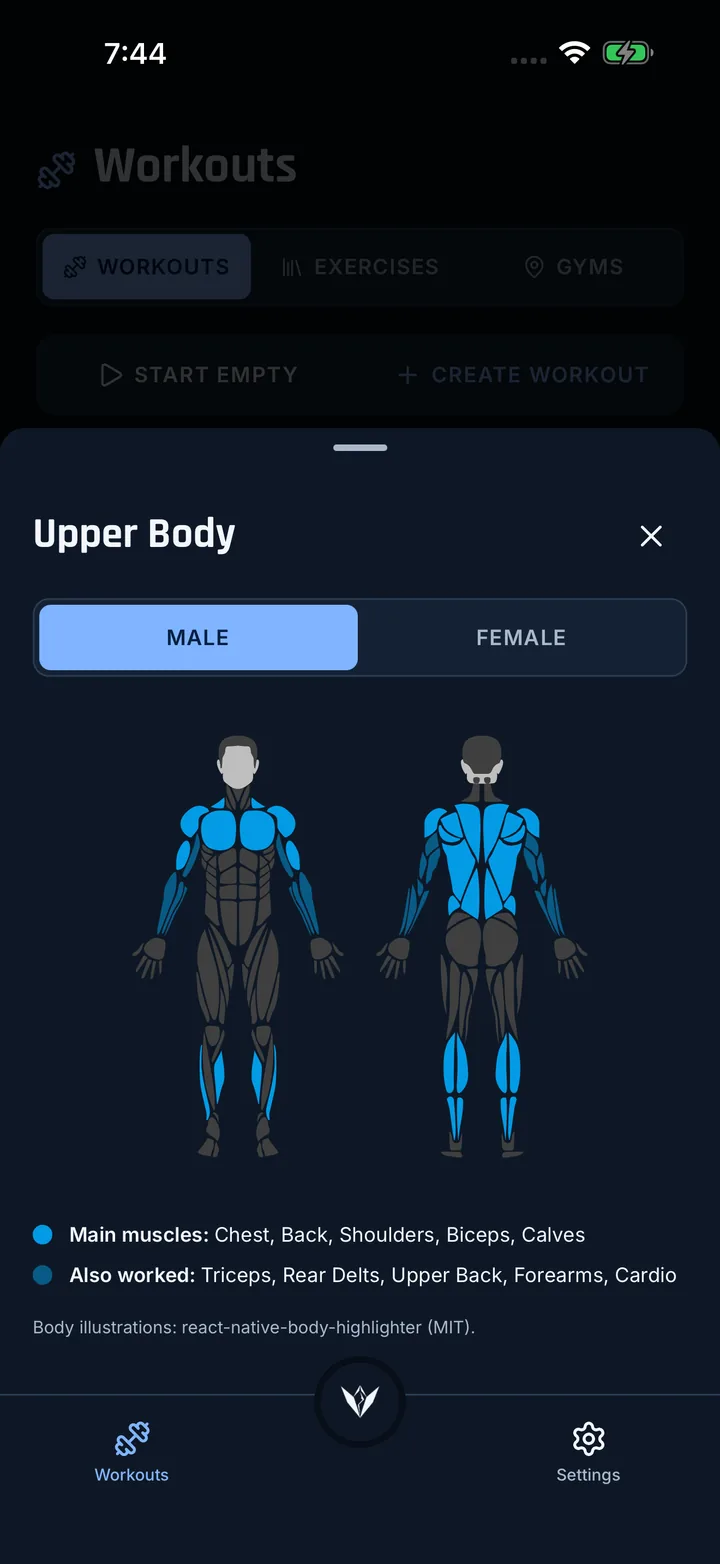
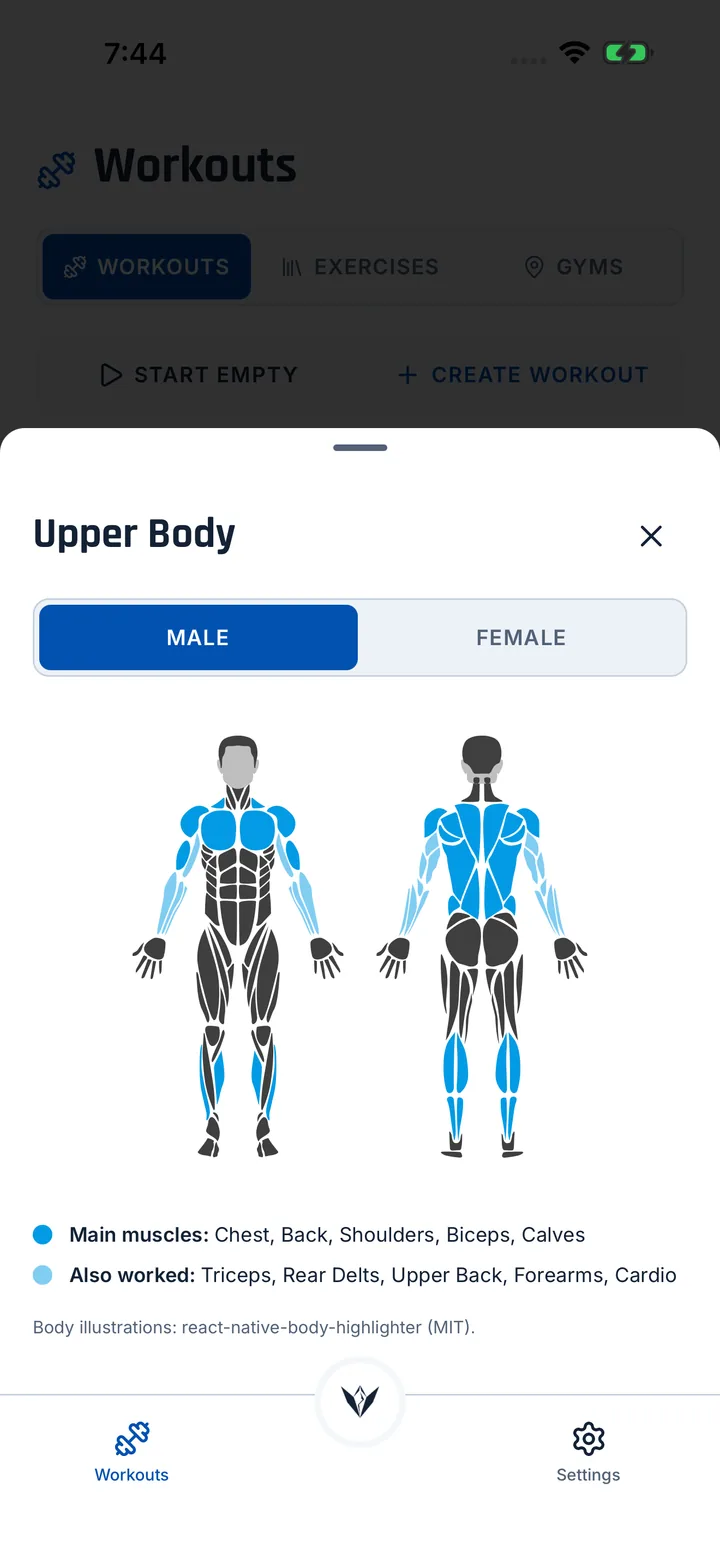
Every workout gets a muscle map that shows which muscles it works.
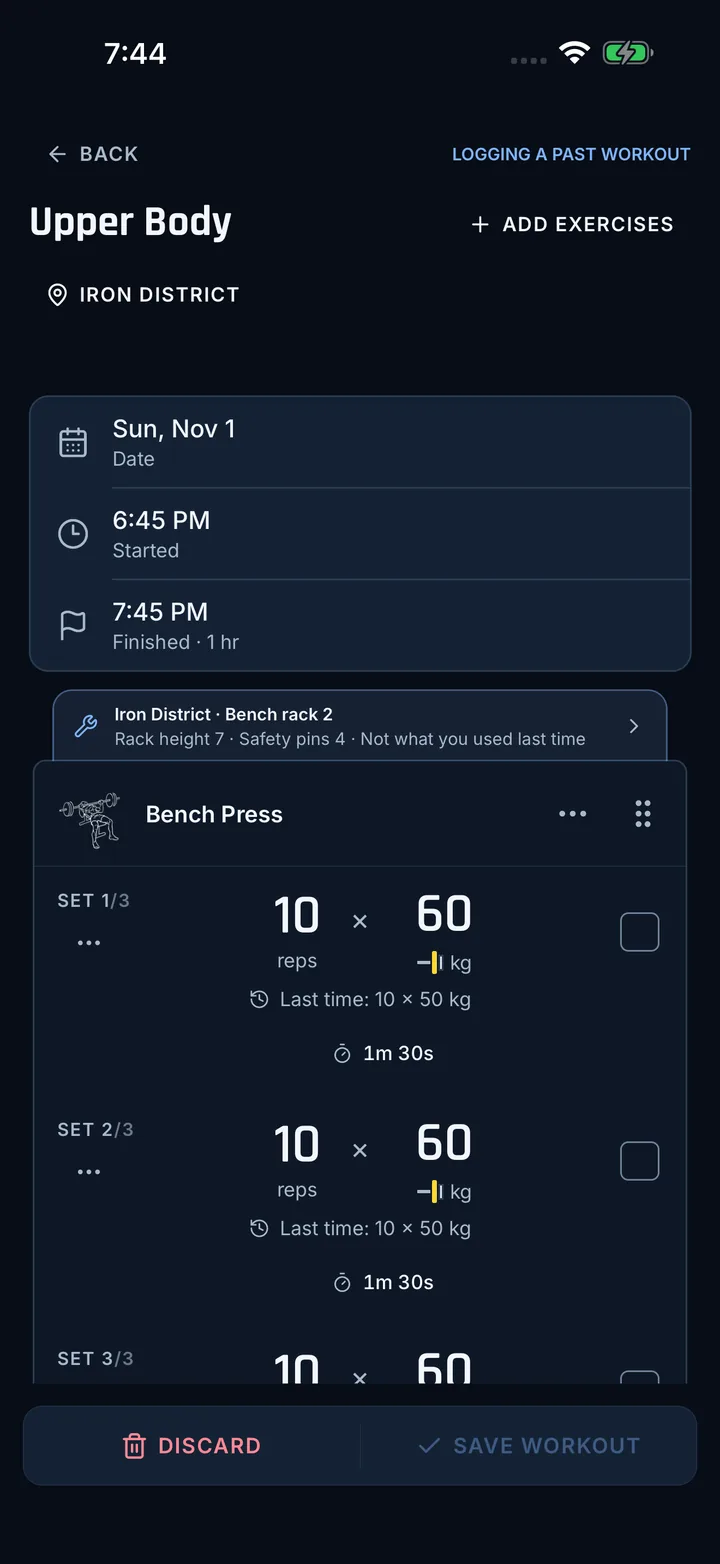
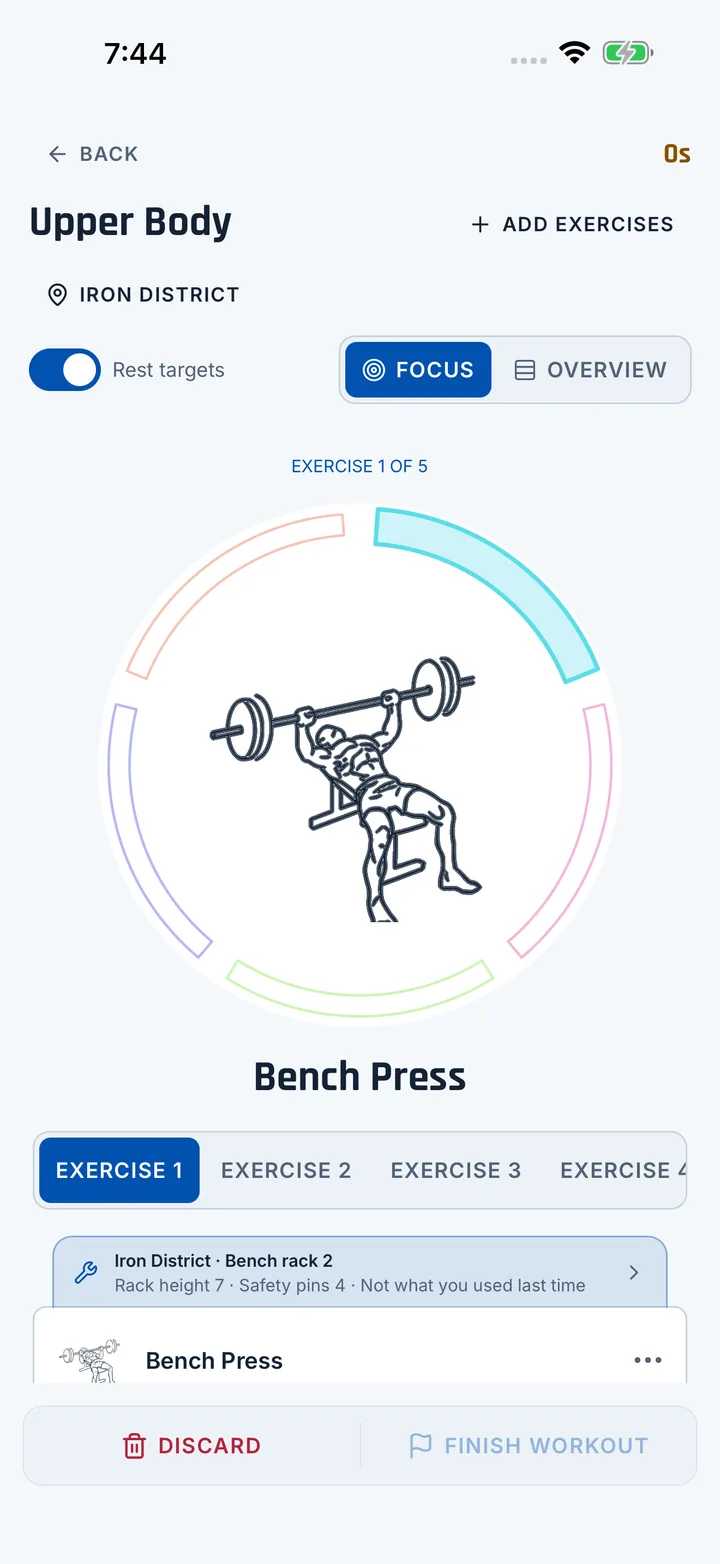
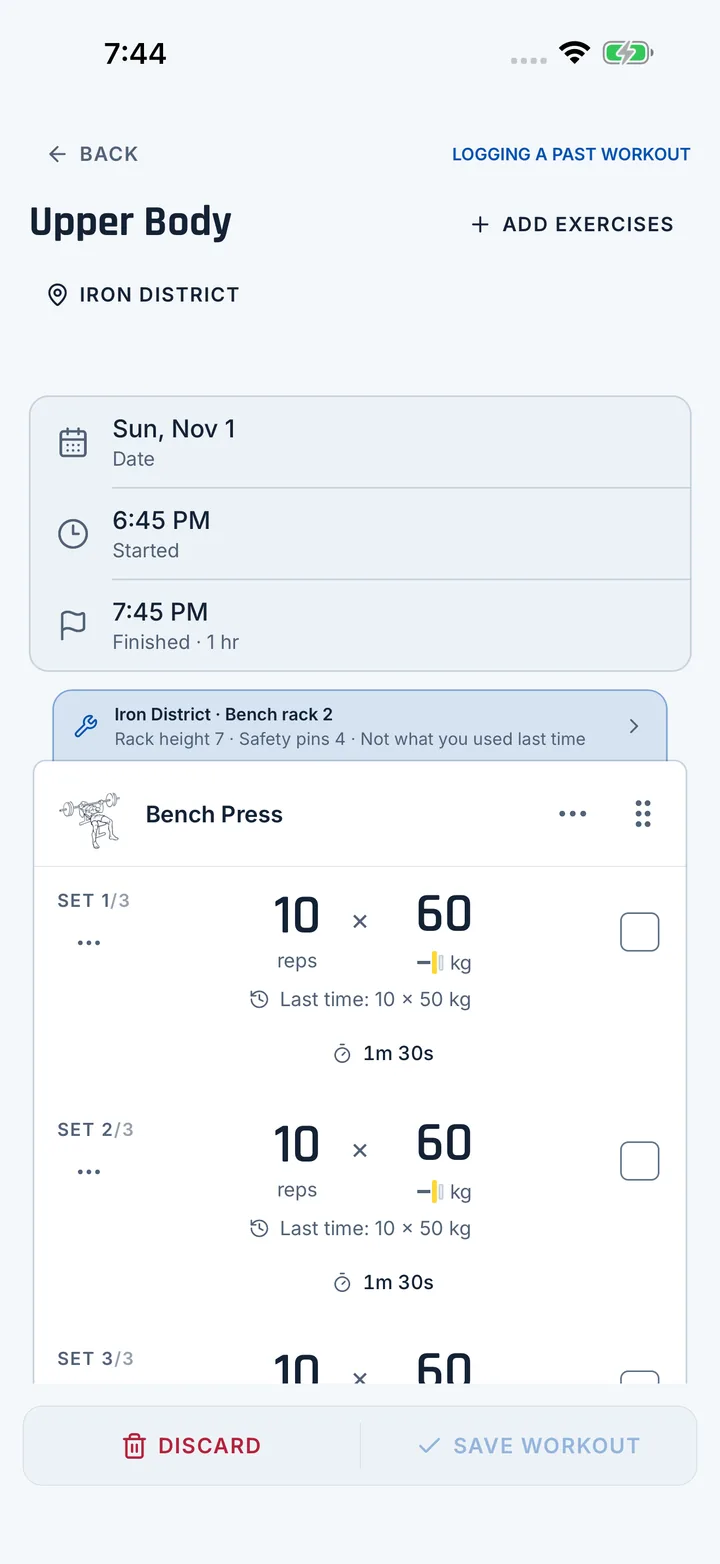
Tick off sets as you train. Forgot to? Add the workout afterwards with the time you did it.
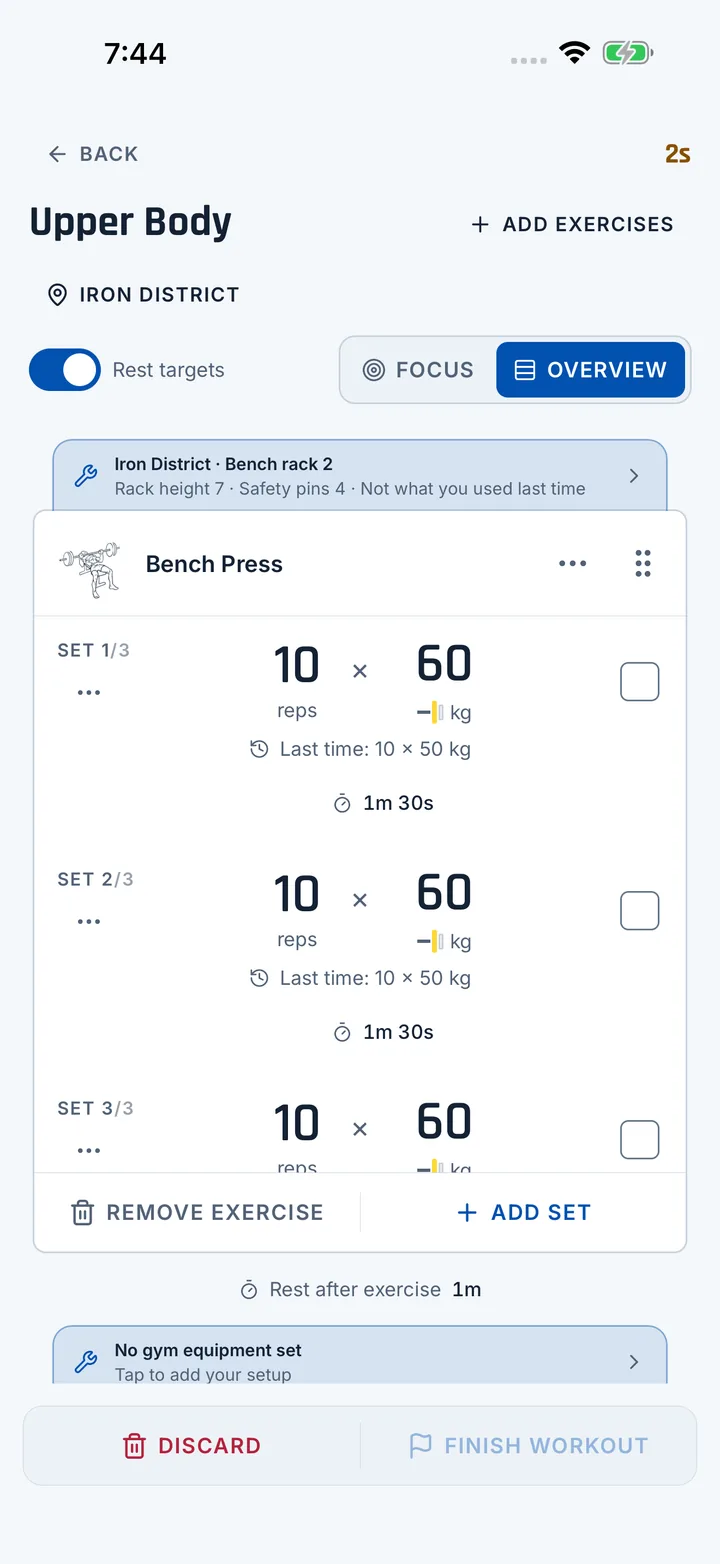
Overview
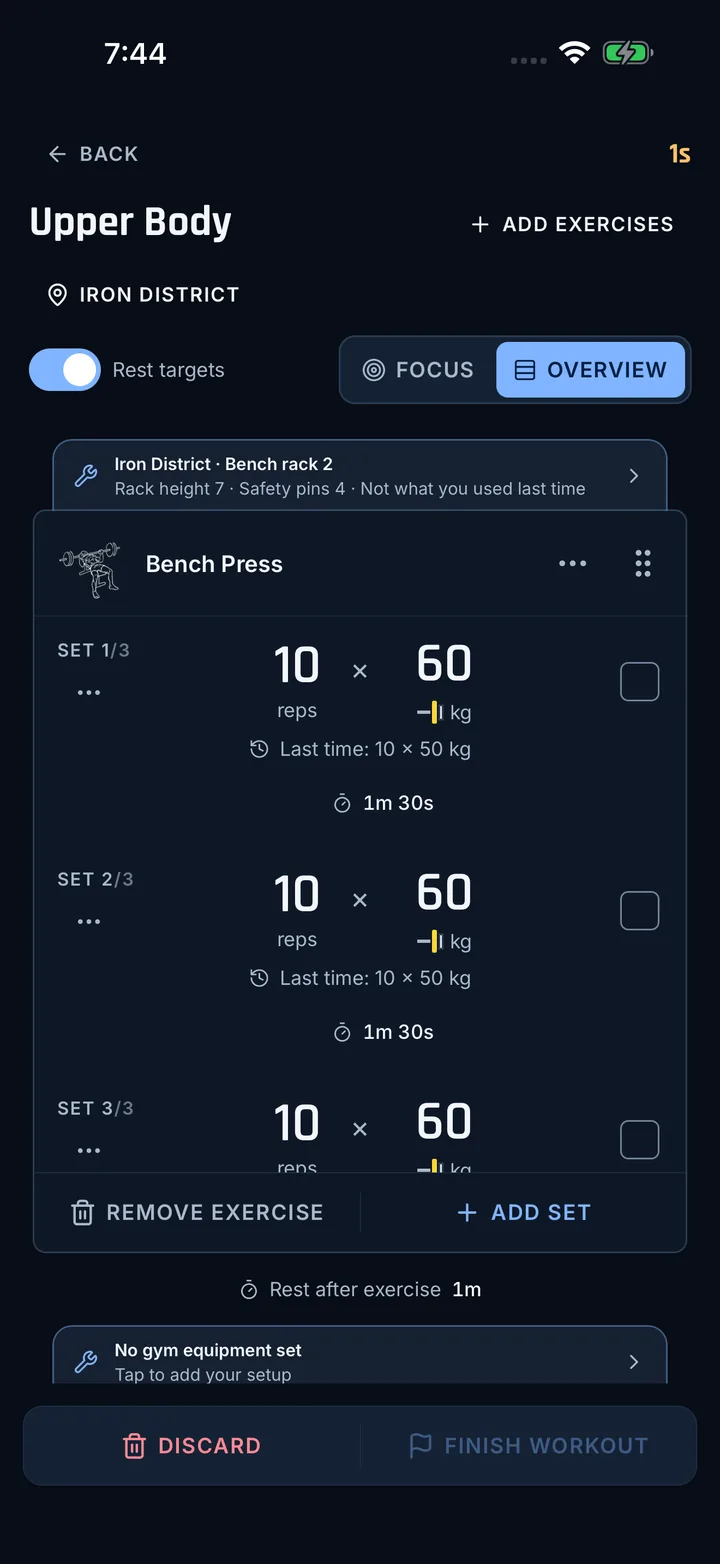
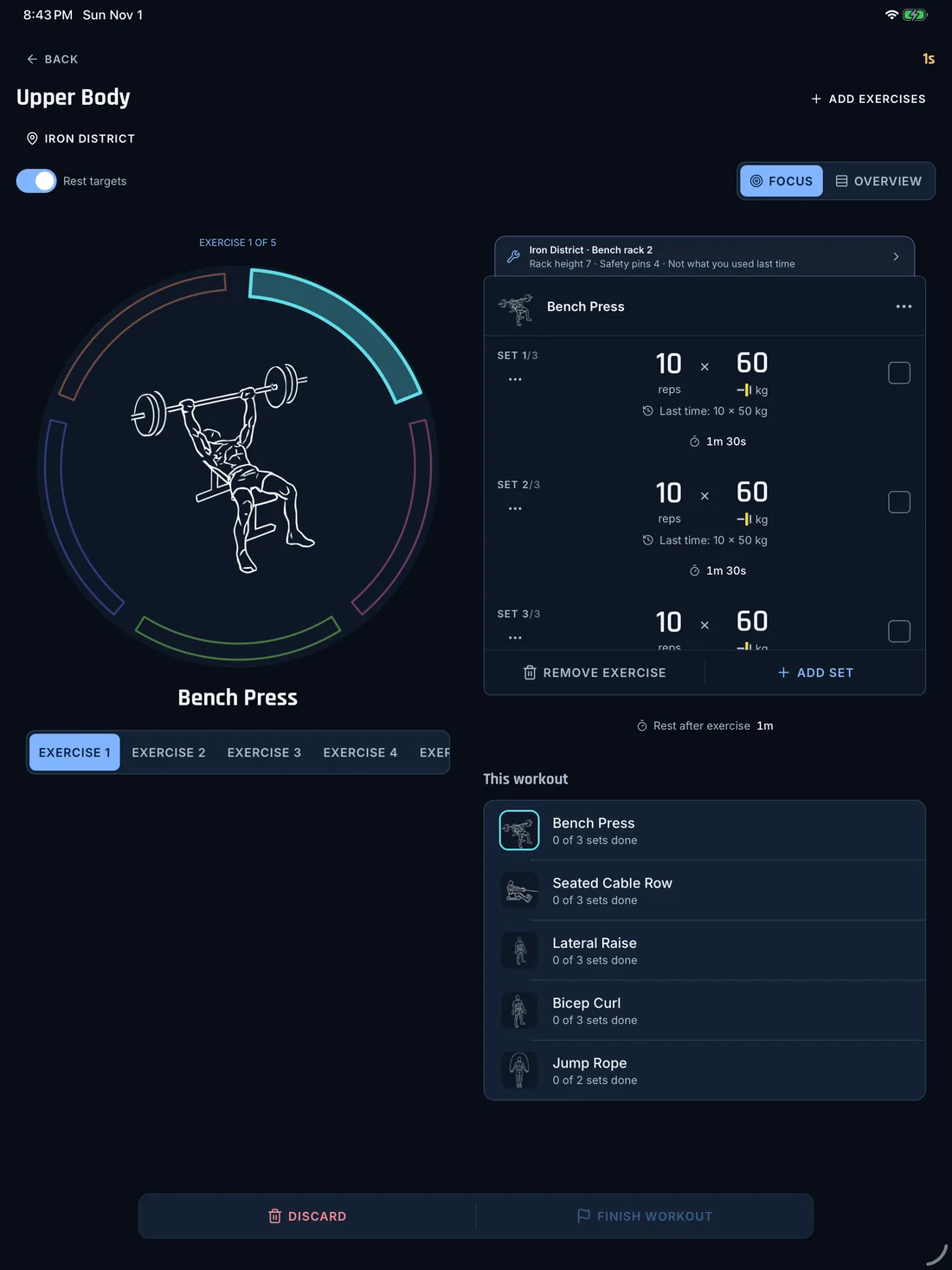
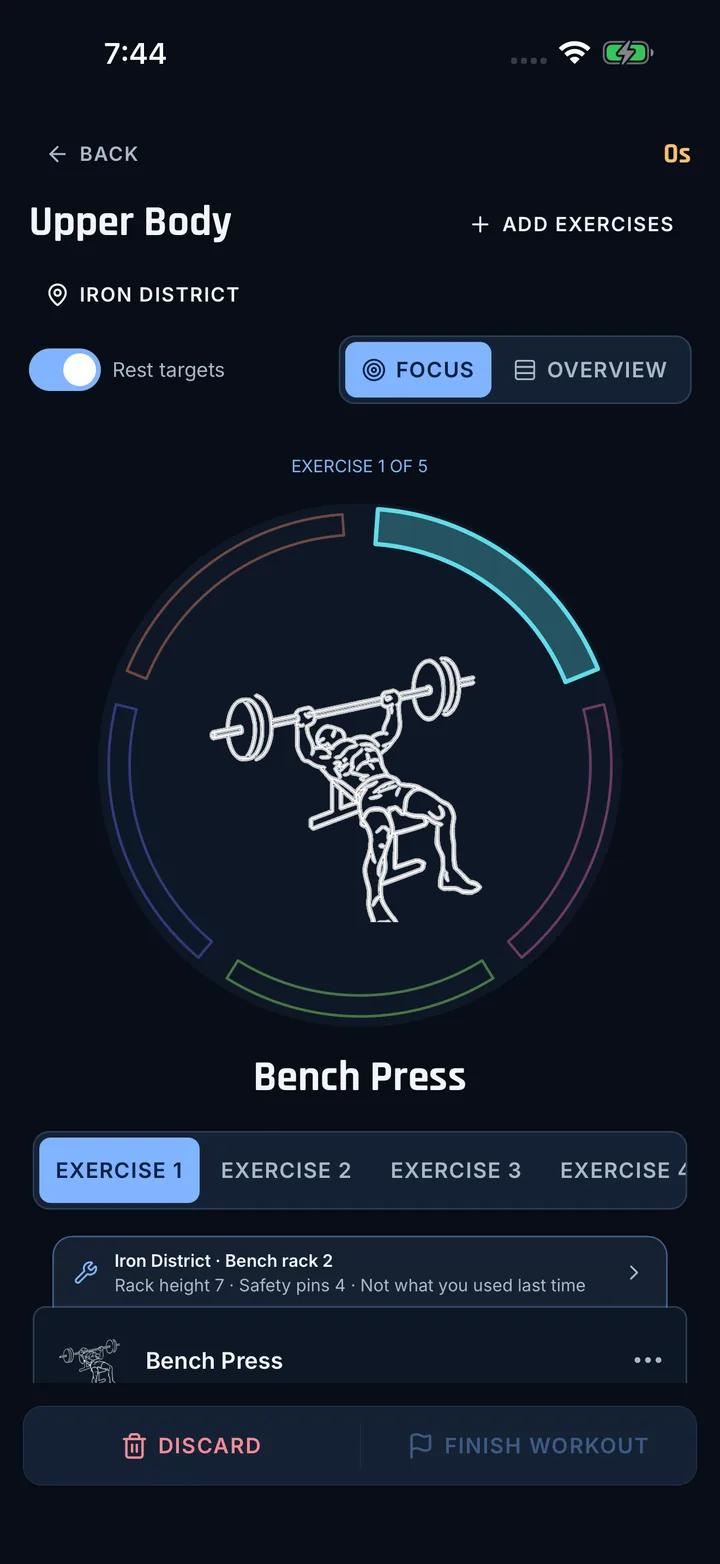
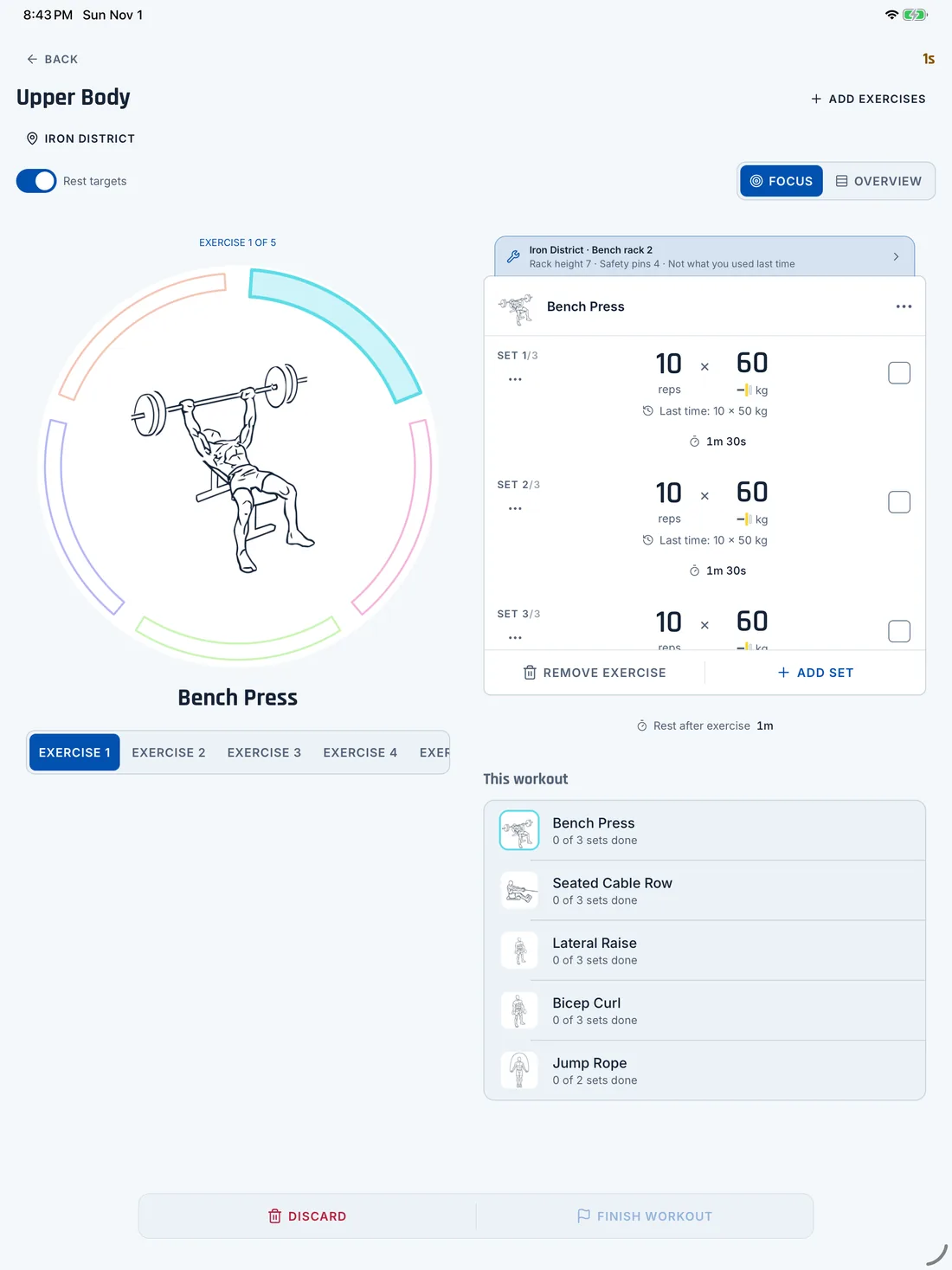
Switch to Overview mid-workout to see every exercise with its sets, reps, weight and rest. Change anything without leaving the workout.
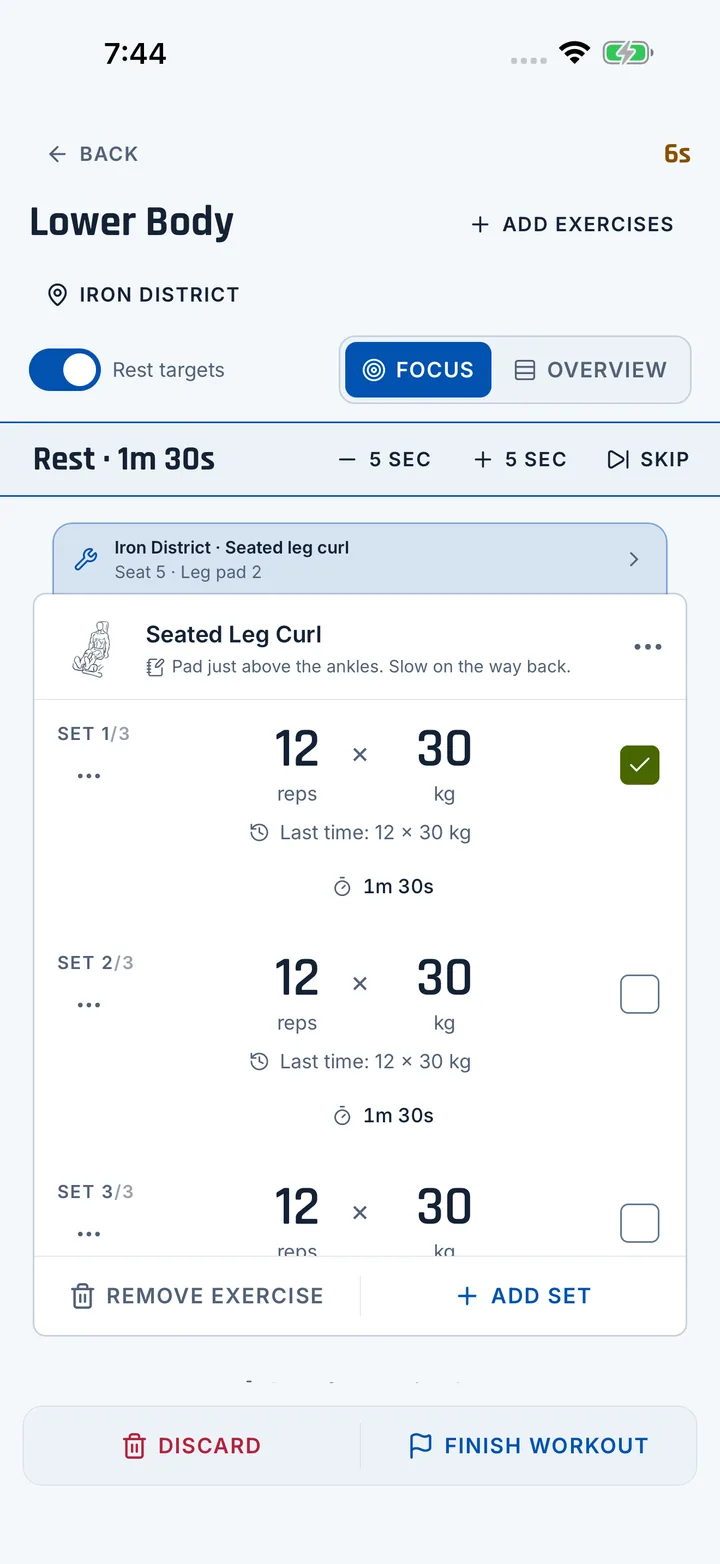
Built for the gym floor
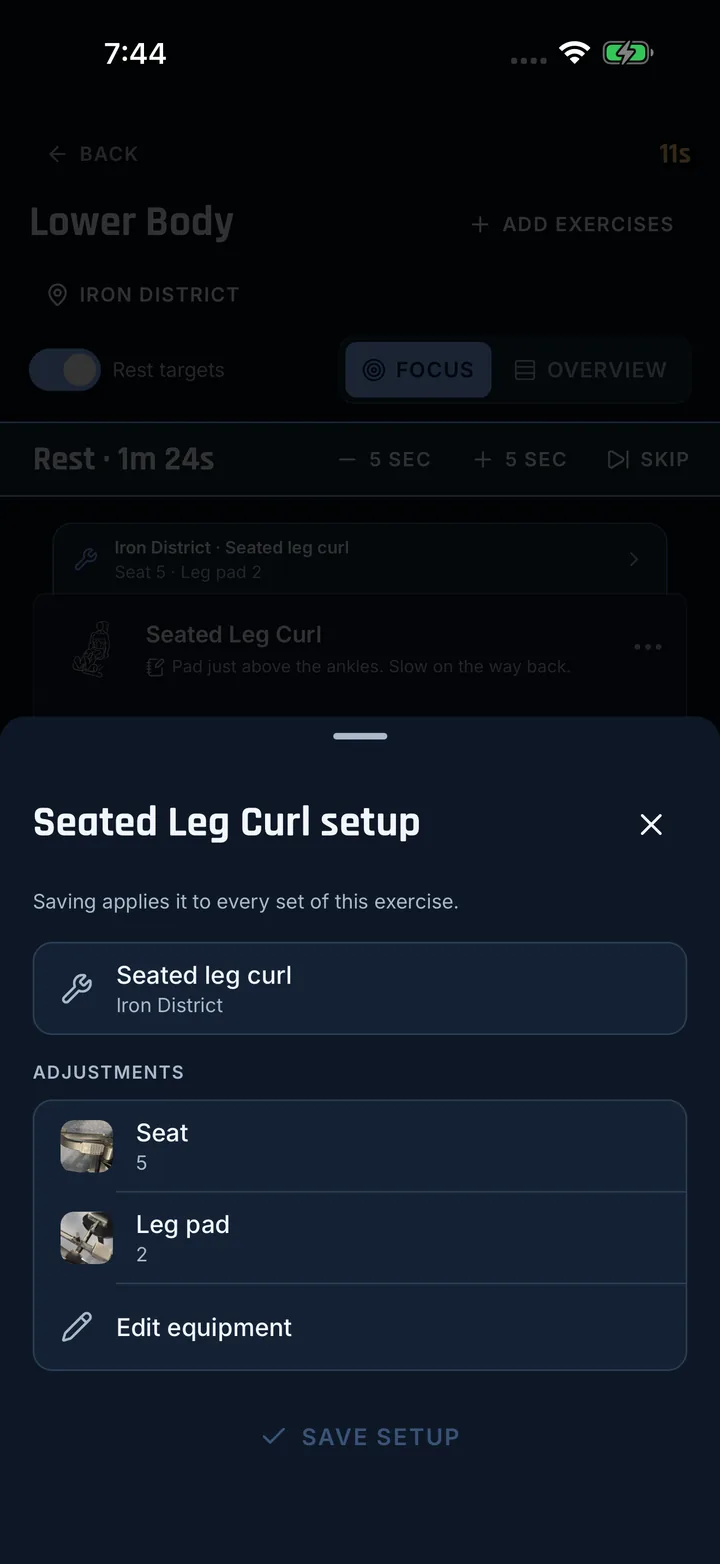
The wrong setup works the muscle differently, and it can hurt. Vertexx remembers how you set up each machine, bench and cable, and shows it on top of the exercise before you start.
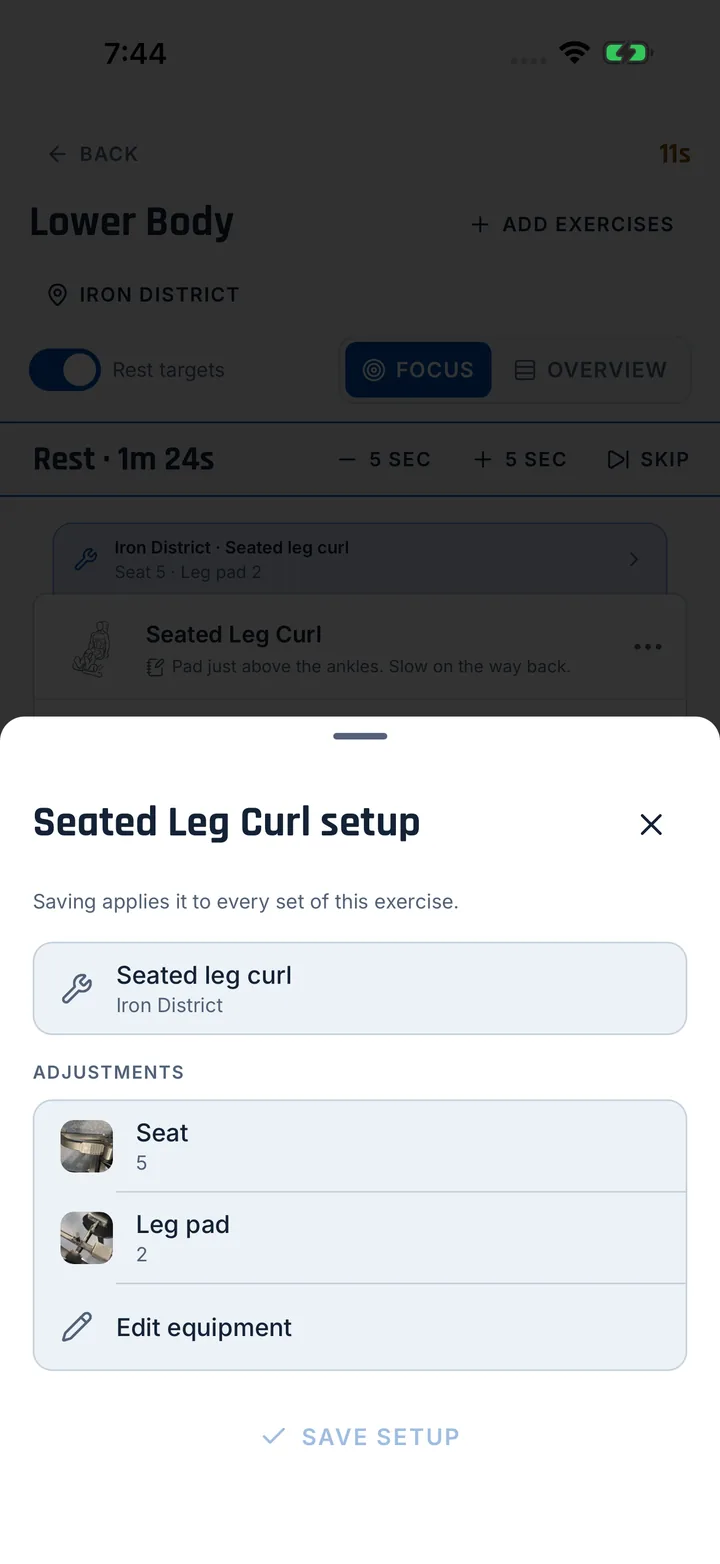
Seat 4, knee pad B, rack on 7. Name the adjustments your machine has and save how you set it.
The same machine can differ between gyms. Save each one where it lives.
Take a photo of where it goes instead. Or add both.
See what you used last time and put it back in one tap.
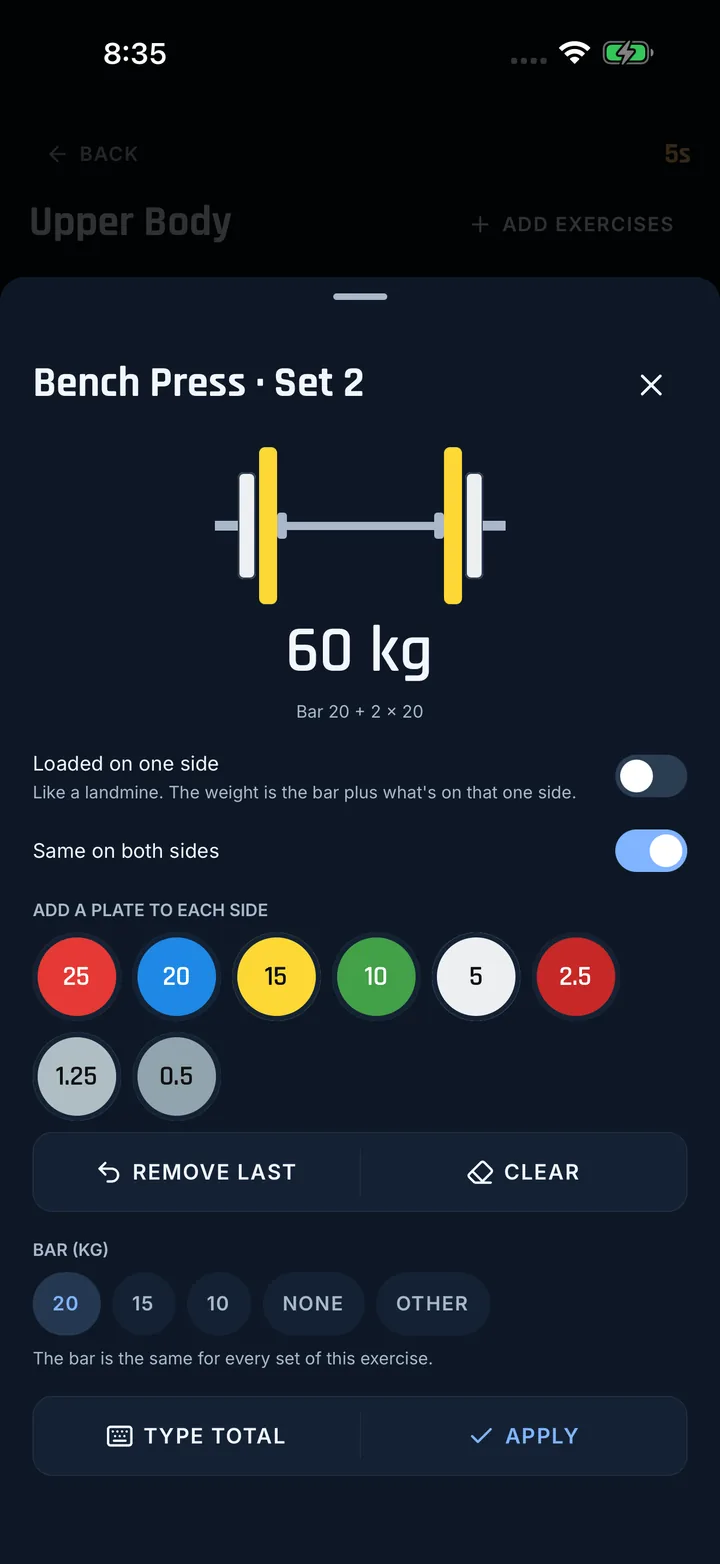
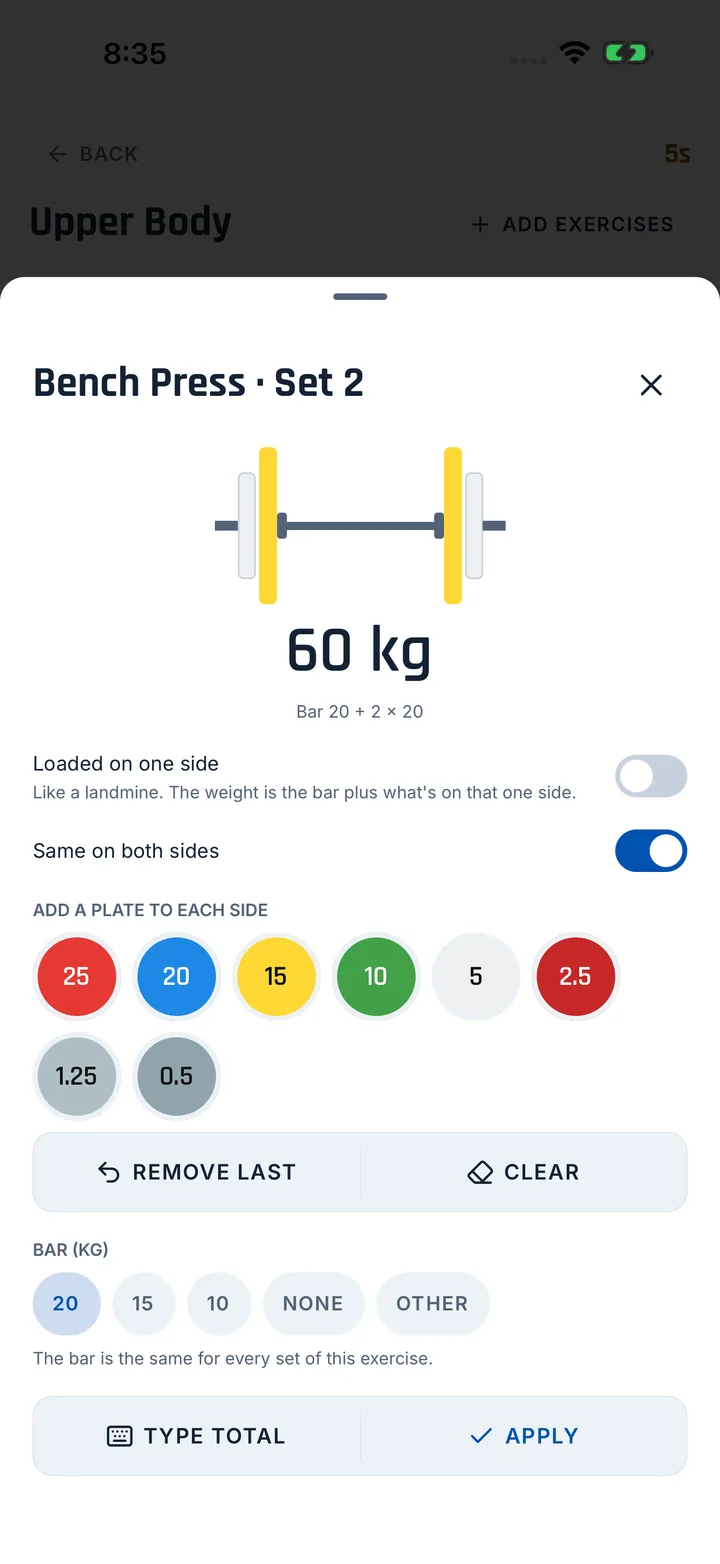
Tap the plates you put on. The bar fills up and the weight adds itself, bar included. Load each side differently if you need to.
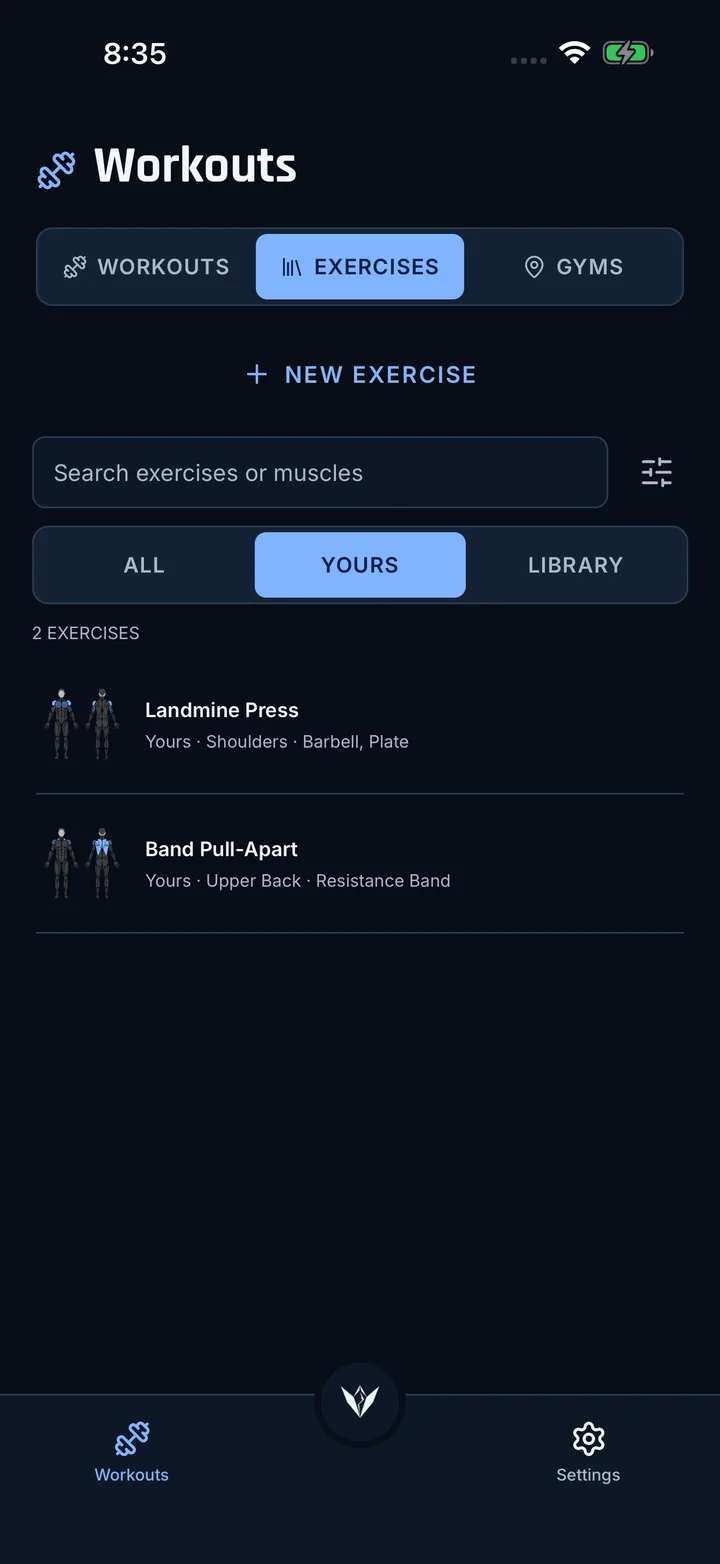
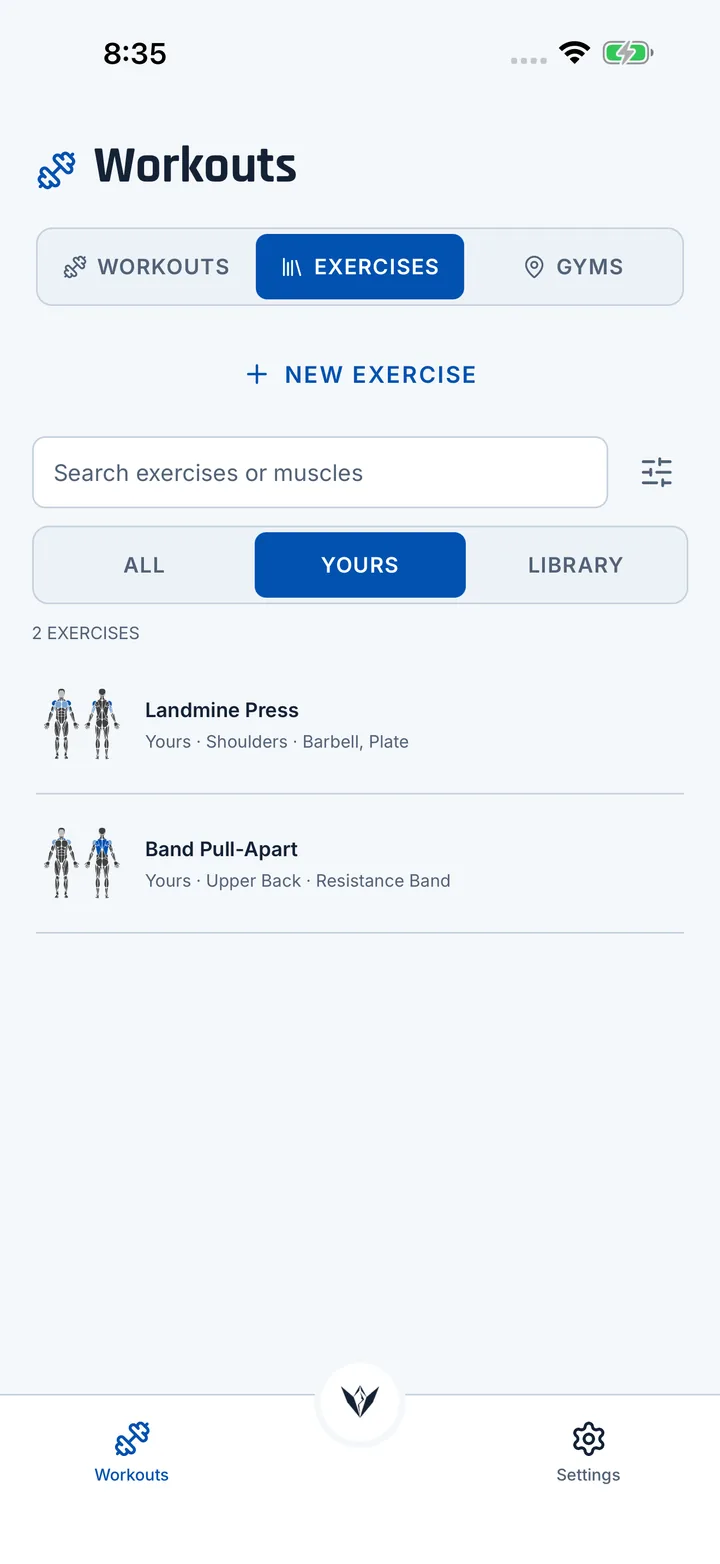
Missing an exercise? Make it. It gets a muscle map as its picture and stays on your phone. Your gyms and their equipment have their own tab.
Made for iPad
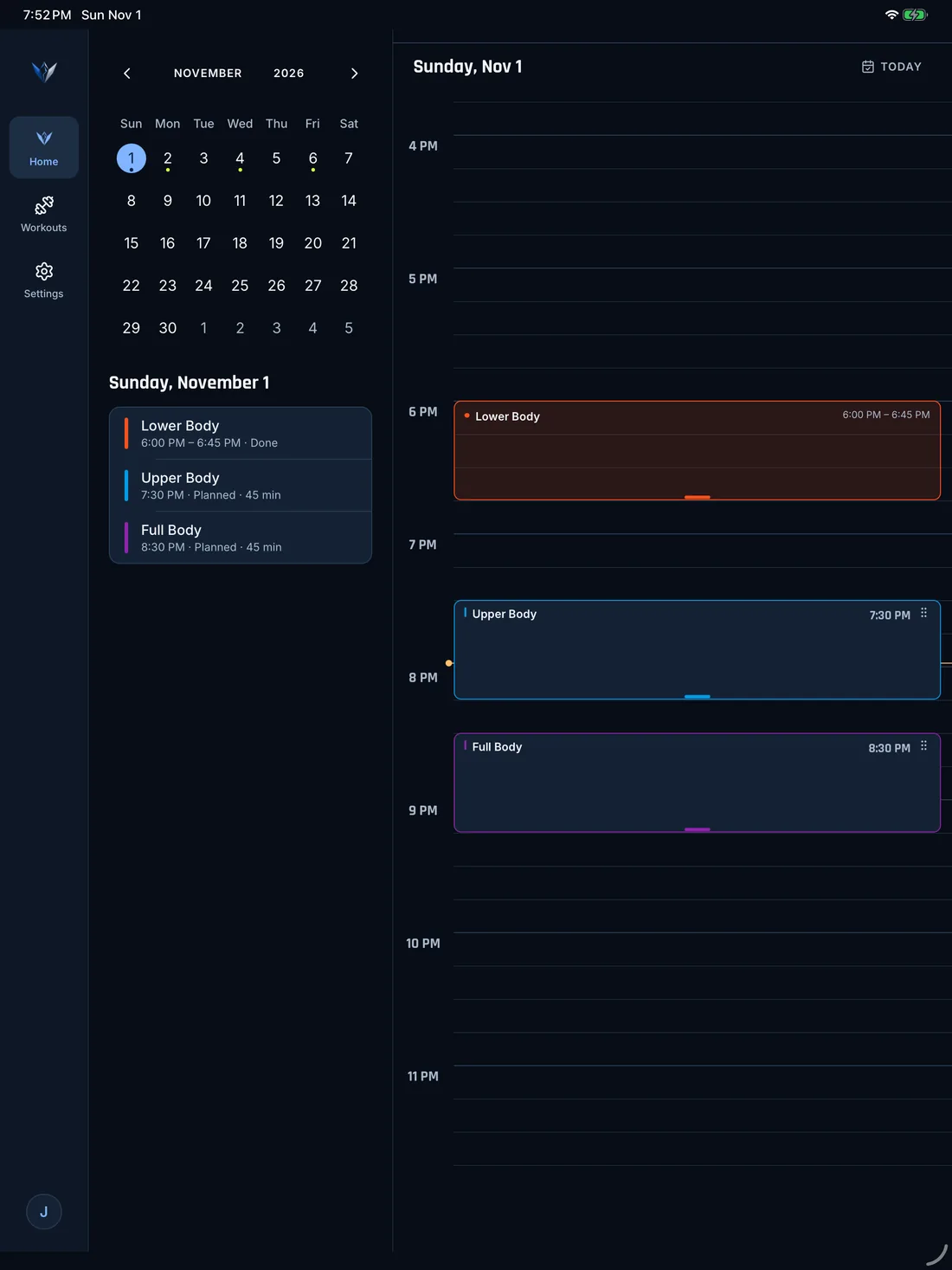
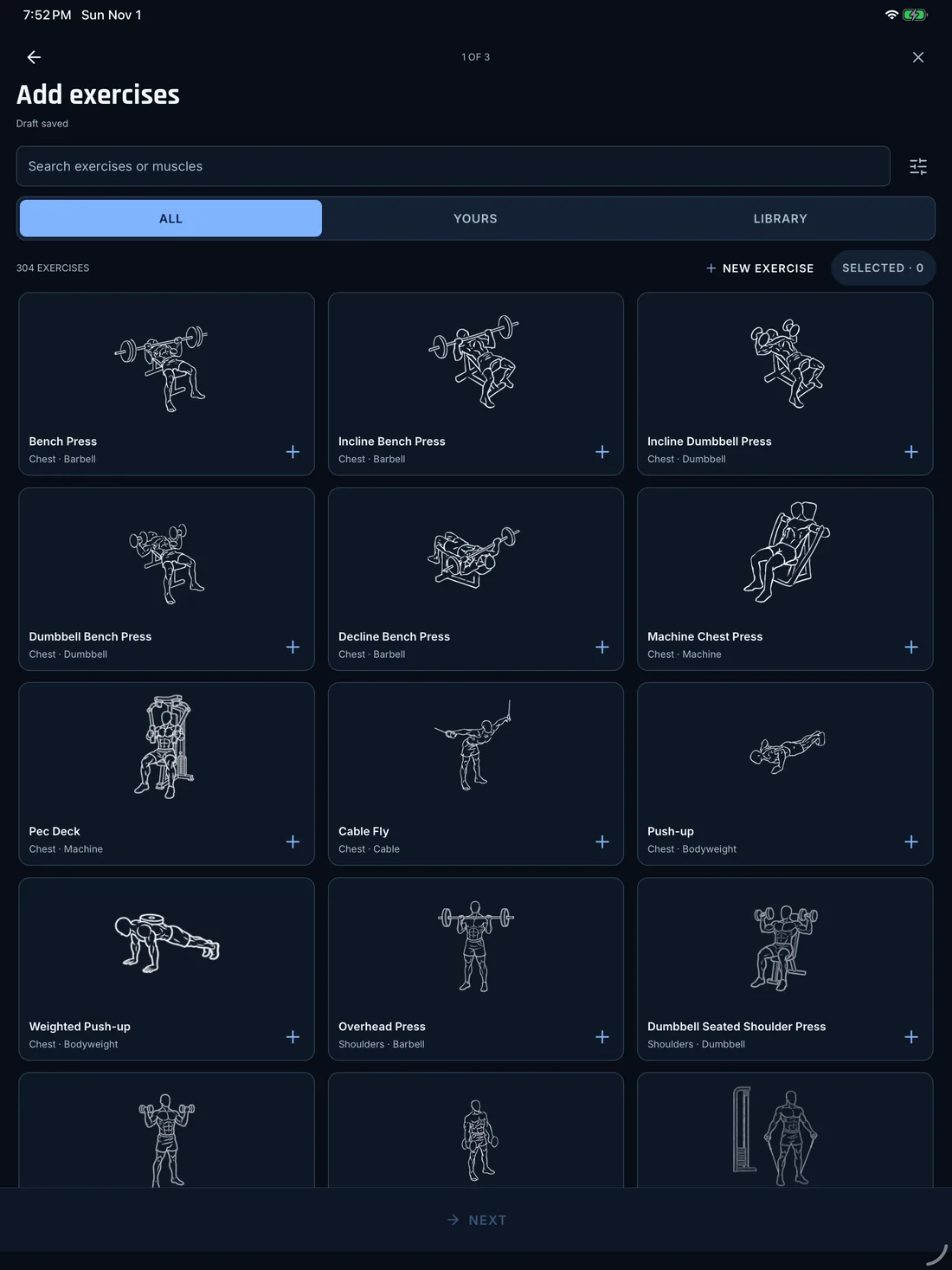
On iPad, Vertexx uses the whole screen, so you see more of your training at once. Prop it up next to the rack and keep going.
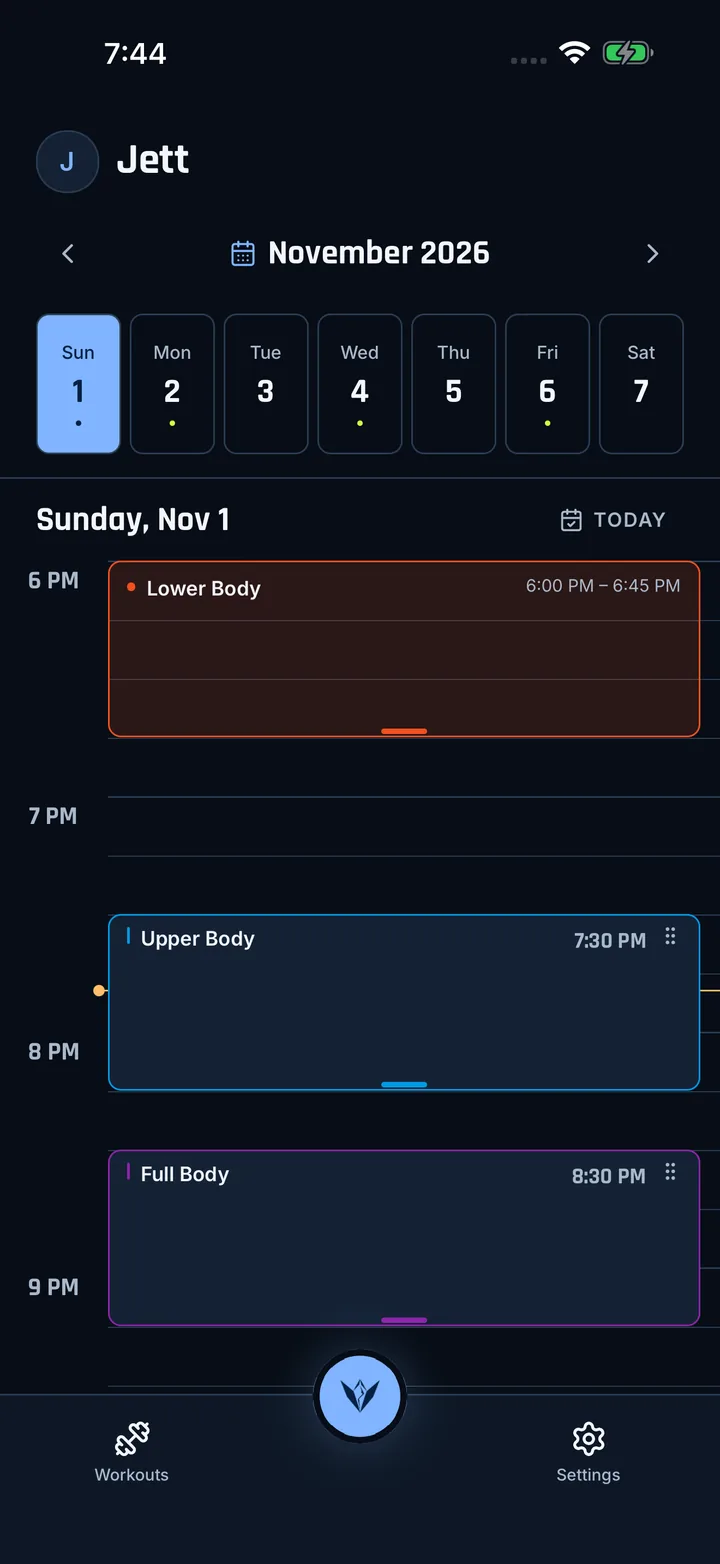
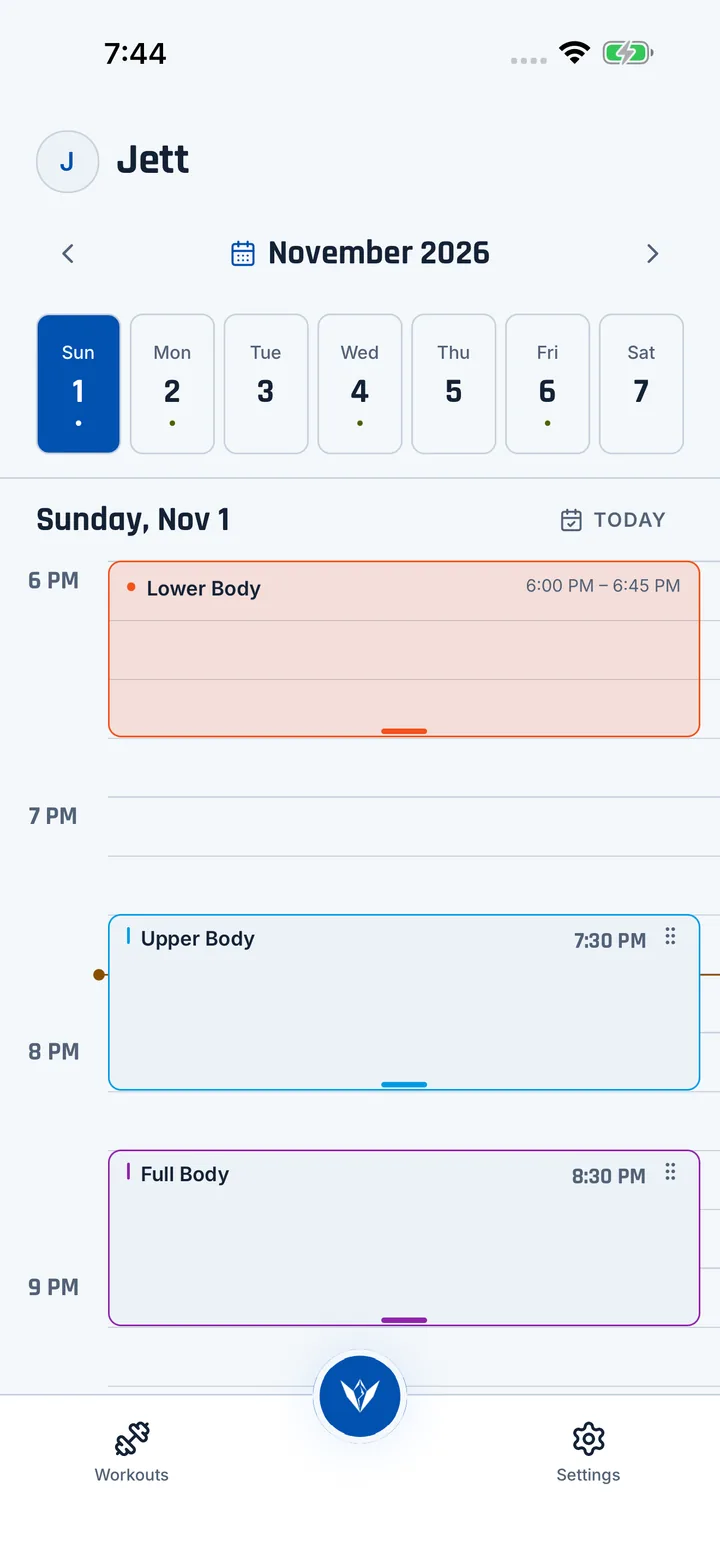
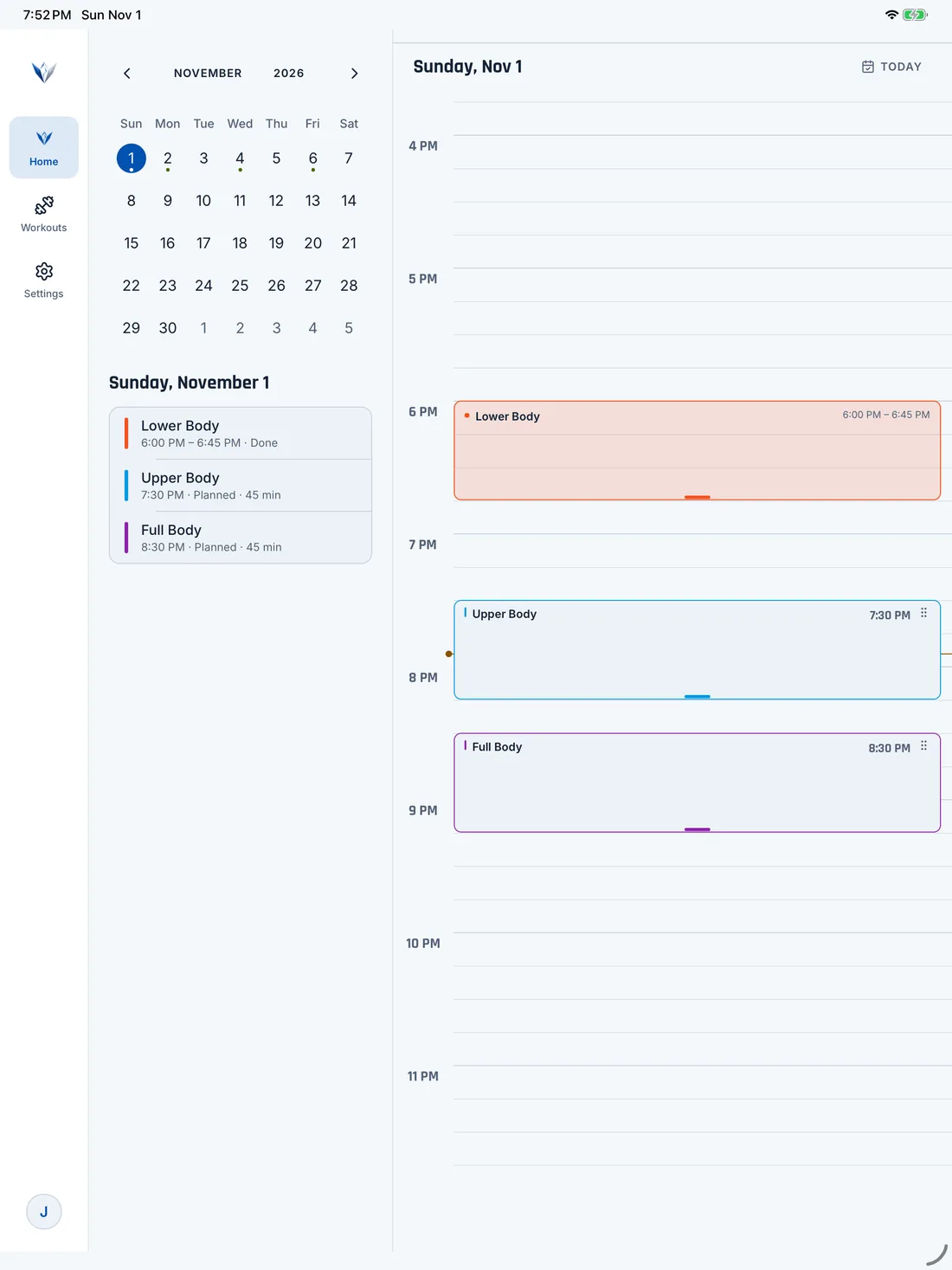
Pick a day on the calendar and its workouts show up next to the timetable. Dots mark the days you trained, so you can see your streak at a glance.
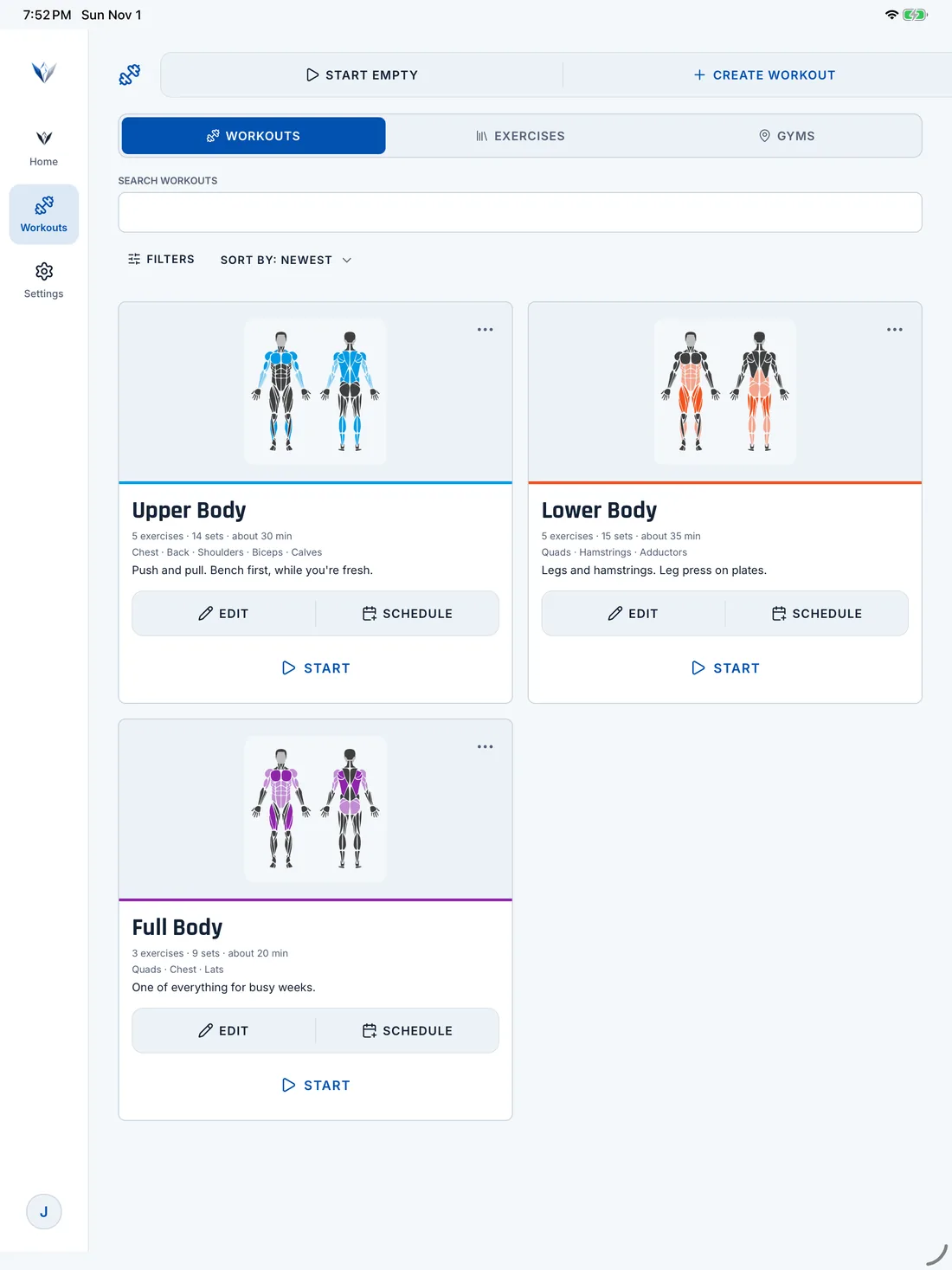
Every workout gets a big card with its muscle map. Pick one and start in a tap.
The exercise you're on fills one side. Your sets and the rest of the workout sit on the other, so you always know what's next.
Big pictures, easy to scan. Tap one to see how it's done, then add it to your workout.
All you enter is a name. Your workouts are saved on your phone, and nothing goes to our servers. If you export a backup, the file isn't encrypted, so keep it somewhere private.
Privacy details